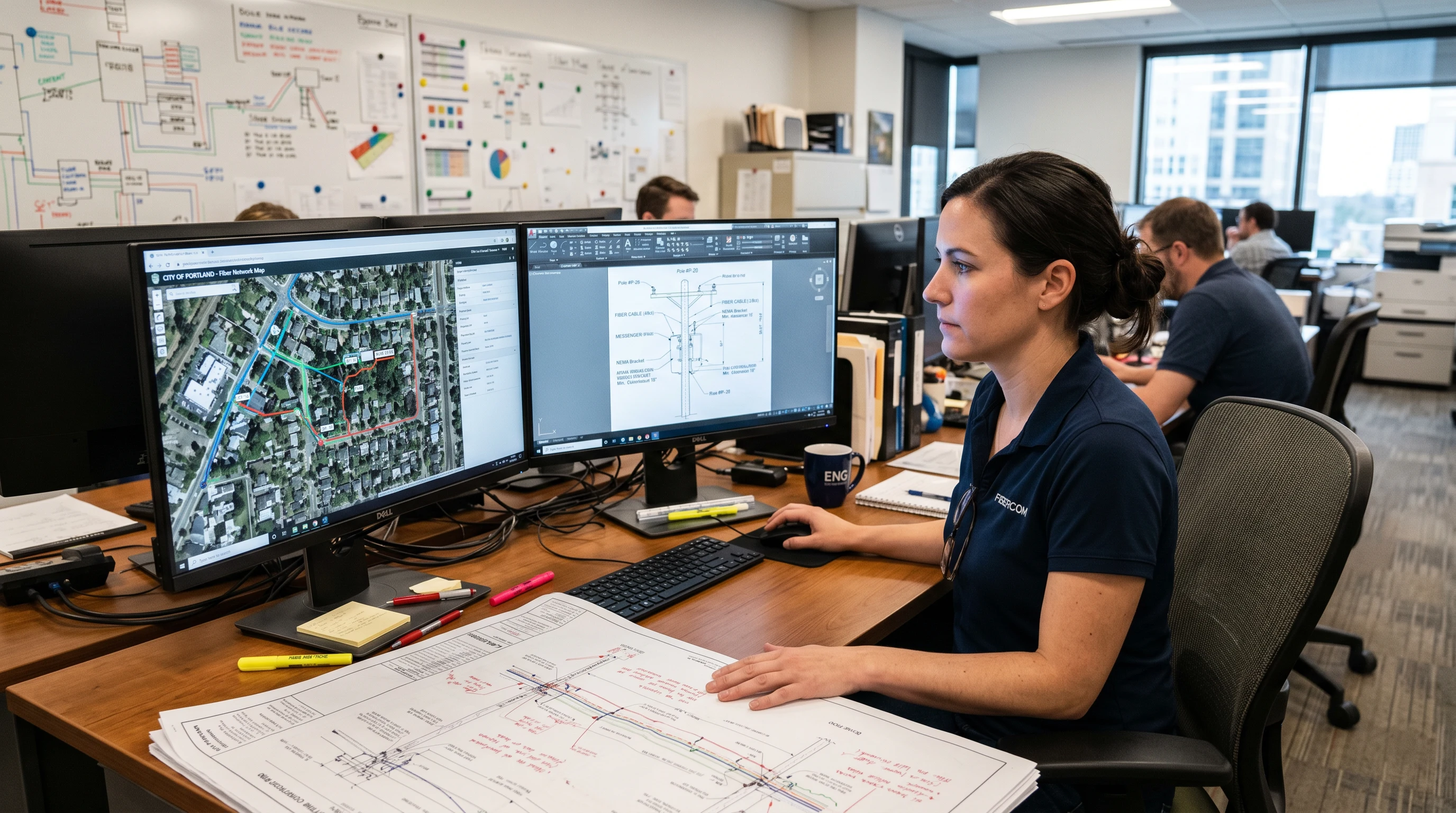
- What a Real Telecom CAD Engagement Delivers
- What Separates Professional-Grade Fiber CAD Drawings from the Rest
- Construction-Site Rejections: The Errors That Actually Kill a Job Day
- GIS Integration: Why PDFs Aren't Enough
- Evaluating a Telecom CAD Firm: Questions That Filter Fast
- What Draftech's CAD/GIS Team Delivers
Most ISPs don't discover they have a CAD problem until a permit reviewer sends back their plan set. Or a construction crew calls from the field because the drawings don't match what's actually on the poles. Or they get an invoice for $18,000 worth of revision cycles on a 14-mile aerial build that should've been straightforward. By that point, the bad CAD engagement is already costing real money — in schedule delays, in crew standdowns, in re-permit fees.
This is a guide for ISP project managers and telecom engineers who are either evaluating a CAD firm for the first time or not getting what they need from their current one. We'll cover what a complete telecom CAD engagement actually produces, what distinguishes professional-grade fiber network CAD drawings from the kind that fail first review, the specific errors that cause construction teams to reject drawings on-site, and why GIS integration isn't optional anymore. We'll also give you the questions that separate competent CAD firms from ones who'll waste your time and your budget.
What a Real Telecom CAD Engagement Delivers
There's a persistent misconception that outsourcing telecom CAD drafting means you get a PDF of your route. That's not a deliverable — that's a printout. A complete engagement for a fiber build produces four categories of outputs, and each one serves a distinct function in the project lifecycle.
The first is the plan set. For an aerial build, that's a set of scaled plan view sheets — typically drawn at 1"=50' or 1"=100' depending on route density — showing the fiber route, pole locations with IDs, attachment positions, span lengths, and proposed equipment. Check the fiber construction package deliverables guide for a complete breakdown of what should appear on each sheet type. A standard aerial build runs 4.7 sheets per route mile on average; a dense urban corridor can push that to 8 sheets per mile. A 15-mile build through suburban Virginia might produce 72 plan sheets before you add detail sheets.
The second category is detail sheets. These are separate from plan view — they show specific construction details: pole attachment configurations, cable lashing specifications, splice enclosure mounting, aerial-to-underground transition details, and equipment pad layouts. Detail sheets aren't optional. They're what the field crew uses when they can't read intent from a plan view alone, and they're what permit reviewers use to verify that your construction method complies with utility attachment standards and NESC clearance requirements.
Third: GIS-ready exports. More on this in a dedicated section below, but the short version is that your CAD deliverable should include geospatially accurate feature exports — not just drawings. Shapefiles, GeoJSON, or ESRI File Geodatabase format, with coordinate accuracy within 0.5 meters of field-surveyed positions.
Fourth — and what gets skipped most often on initial builds — are as-builts. These are revised drawings reflecting what was actually constructed, incorporating field markup from the installation crew. Proper as-built GIS documentation standards require that as-built drawings be updated within 30 days of construction completion and that GIS records be reconciled against the as-built before the project is formally closed. If your CAD firm doesn't include as-built revision in their scope, you'll end up managing that separately — and the data drift between what-was-designed and what-was-built is exactly how network operators lose track of their own infrastructure.
What Separates Professional-Grade Fiber CAD Drawings from the Rest
The difference between drawings that sail through permit review and drawings that come back with 23 revision comments isn't always obvious on first look. Both might be presented as clean PDFs. Both might have a proper title block. But the underlying quality diverges significantly once a reviewer starts checking specifics.
Professional-grade telecom CAD drawings start with accurate survey data. That sounds obvious, but it's where more than half of downstream problems originate. If your field survey data accuracy is poor — wrong pole IDs, approximate heights rather than measured heights, GPS coordinates with 5-meter errors — no amount of drafting skill fixes that upstream problem. A professional CAD firm will flag data quality issues before drawing starts, not discover them when the drawings fail review.
Coordinate referencing matters. Drawings that aren't tied to a known coordinate system — NAD83 or WGS84, with the datum explicitly stated in the title block — can't be reliably georeferenced downstream. Some smaller CAD shops produce drawings in local coordinate space or with no spatial reference at all. That's fine for a quick sketch; it's not acceptable for a permit submission or anything that will be imported into a GIS platform.
Layer management is another marker of quality. A professional DWG file has a structured layer schema — separate layers for existing utilities, proposed fiber, pole IDs, span annotations, ROW lines, parcel boundaries, and so on. Drawings where everything's on one or two layers aren't just harder to work with — they signal that the firm doesn't have a disciplined production workflow. You'll see this correlate with other problems: inconsistent linework, missing annotations, title block fields that weren't updated from a template.
Consistency between drawing sheets is a third quality signal. The pole schedule should match the plan view. The splice point locations on the route map should match the splice detail sheets. The cable type called out in the notes should match what's in the bill of materials. Inconsistencies here — and they're more common than you'd think — are what cause construction crews to stop work and call the engineering office for clarification. An LLD quality control checklist run before any package leaves the drafting team's hands should catch these cross-reference errors. If your CAD firm doesn't have a formal QC process — and you should ask directly — you're essentially running their QC for them at your own expense.
Construction-Site Rejections: The Errors That Actually Kill a Job Day
Field crews don't have the patience for ambiguous drawings. They shouldn't have to. When a construction team calls in to report a problem with the plan set, work stops. That standdown — even a 2-hour call to resolve a discrepancy — costs real money. At $340 per crew-hour for a 4-person aerial fiber crew with a bucket truck, a half-day standdown waiting for engineering clarification runs over $1,300. Multiply that across a large build and you're looking at costs that dwarf what you paid for the drafting in the first place.
The errors that cause site rejections fall into a few consistent categories.
Wrong or missing pole IDs. Pole identification numbers in the drawings don't match the numbers stamped on the actual poles in the field. This happens when the survey data wasn't cross-referenced against the utility's pole database, or when the drafter manually transcribed pole IDs from a field sketch rather than using the verified utility GIS export. A crew can't do make-ready or attachment work on a pole they can't positively identify — and if the pole IDs are wrong on the drawings, the permit is wrong too.
Clearance violations that weren't caught in QC. NESC Table 232-1 specifies minimum vertical clearance requirements for communications attachments based on voltage class of the conductors above. Drawings that don't show existing attachment heights — or that show incorrect heights because the survey was done with a tape measure rather than a laser height meter — can specify attachment points that are below minimum clearance. The construction crew's lineman won't install it. The drawings go back to engineering. That revision cycle adds 3 to 5 business days minimum.
Plan-view geometry that doesn't match field conditions. A drawing shows a straight aerial span between two poles, but the field has a curve, an obstacle, or a road crossing that requires a different route. This is a survey problem first, but it becomes a CAD problem when the drafter doesn't flag the discrepancy or doesn't have access to aerial imagery accurate enough to catch it. Proper GIS fiber network planning integrates current aerial imagery into the route design process specifically to catch these disconnects before the plan set goes to the field.
Missing detail for specific construction scenarios. A plan set that shows a route crossing a state highway but doesn't include a bore or aerial crossing detail sheet leaves the construction crew without the information they need to execute the crossing correctly. Permit requirements for highway crossings are specific — VDOT, TxDOT, and most state DOTs have detailed submission requirements — and a plan set that doesn't address the crossing in its own detail sheet will be rejected at the permitting stage, not just at the construction stage. Reviewing LLD splice point placement guidance reinforces why specific scenarios demand specific detail sheets rather than a generic route drawing.
GIS Integration: Why PDFs Aren't Enough
Here's a question worth asking your current CAD firm: can you deliver GIS-ready data, or just drawings?
The answer tells you a lot. A firm that only delivers PDFs is operating in a mode that was standard practice a decade ago. Network operators today maintain GIS databases of their plant — or they should be. Every fiber segment, every splice point, every piece of aerial hardware exists as a spatial record in their network GIS. When the CAD deliverable can't feed that database directly, someone has to manually digitize the design from the PDF — an error-prone process that introduces data drift between the design record and the GIS record from day one.
Professional telecom GIS drafting produces outputs that are directly importable into common network management platforms — Esri ArcGIS, Google Maps Platform, or open-source alternatives like QGIS and PostGIS environments. Feature classes are properly attributed: each fiber segment has a cable type, fiber count, sheath color, installation date, and attachment type. Each splice point has a splice enclosure model, splice count, and associated splice record. Each pole has a pole owner, class, height, and make-ready status.
The coordinate accuracy standard for production-quality GIS exports is 0.5 meters or better for point features, 1.0 meter or better for linear features — referenced to NAD83 or WGS84 with the EPSG code documented. Anything coarser than that is not suitable for permitting or for integration with utility GIS systems that have their own feature accuracy requirements.
There's also a planning implication. When your CAD firm delivers GIS data alongside the drawings, the data is available for future network analysis: coverage footprint modeling, upgrade planning, splice point capacity analysis, and integration with your subscriber management system for service availability lookups. OSP engineering services that include GIS-ready outputs from the initial build save a substantial amount of re-engineering cost when the network needs to be expanded two years later — because the baseline data is already clean and spatially accurate.
Evaluating a Telecom CAD Firm: Questions That Filter Fast
Portfolio alone doesn't tell you much. A firm can show you polished PDFs of past projects without revealing anything about how many revision cycles those projects took, whether the deliverables met permit-review standards the first time, or whether the GIS data actually integrated with the client's network management platform. Ask specific questions.
What's your average revision cycle count per project? An honest firm will tell you. A well-run CAD operation on standard aerial fiber projects should average 1.8 to 2.5 revision cycles per project. More than 4 revision cycles on a typical build is a signal that QC is either missing or ineffective. If they won't give you a number, that's informative too.
What's your turnaround standard per block of 10 sheets? For a team that's not doing preliminary design — meaning survey data is already in hand and the route is defined — 10 plan sheets should take 3 to 4 business days to produce at production quality. Rush delivery compresses that to 1.5 to 2 days but usually comes with a premium and an increased error rate. Know what you're buying.
What GIS formats do you deliver natively? The answer should include at least Shapefile and GeoJSON. If the firm can deliver ESRI File Geodatabase, that's a mark of a team with real GIS capability rather than a team that exports a shapefile as an afterthought. Ask what coordinate reference system they default to and whether they can match your network's existing CRS if it differs.
Can you show us a sample QC checklist? A firm with a mature production process has a documented QC checklist that every package goes through before delivery. Ask to see it. If they don't have one — or if it's a single-page informal list rather than a detailed cross-reference check — expect the QC to happen on your side, at your expense, after delivery.
What's your revision policy? Specifically: how many revision cycles are included in the base engagement, what triggers a revision (client-driven scope change vs. drafting error), and what's the turnaround commitment on a requested revision? A firm that doesn't distinguish between scope-change revisions and error-correction revisions in their contract is either inexperienced or setting you up for billing disputes.
Real-world note: On a 22-mile underground/aerial hybrid build in rural eastern North Carolina — a mix of buried conduit on county roads and aerial on existing distribution poles — we ran a formal QC gate before every permit submission. That meant checking pole IDs against the utility's GIS export, verifying all clearance dimensions against NESC Table 232-1, and confirming that every bore crossing had a detail sheet with the correct casing specification for that road classification. First-submission permit approval on 11 of 12 jurisdictions. The one resubmission was a municipality requiring a specific title block format they hadn't published in their submittal guide. Not a drafting error — a documentation gap on their end.
What Draftech's CAD/GIS Team Delivers
Our telecom CAD and GIS services team works in AutoCAD and Civil 3D for plan set production, with GIS deliverables in Esri ArcGIS-compatible formats as a standard output — not an add-on. Every project includes a structured DWG with our full layer schema, a permit-ready PDF plan set, and GIS feature exports with coordinate accuracy to 0.3 meters for point features and 0.5 meters for linear features, both referenced to NAD83.
Our standard turnaround for a 10-sheet aerial build block is 3 business days from confirmed survey data receipt. Revision cycles on error-correction items are at no additional charge and are turned around within 24 hours of notification. Scope-change revisions are scoped and priced separately, with a quote within 4 hours of the change request.
We're currently active in 22 states and available to deploy across all 50 U.S. states. Projects range from 5-mile rural aerial builds to 80-mile regional backbone routes. For engagements that include permitting support, our CAD team works directly with the permit reviewer's requirements — format, sheet numbering, title block fields, and coordinate specifications — before drafting starts, not after the first rejection.
We also integrate CAD production with OSP engineering services when clients need a single team handling route engineering, make-ready coordination, and drafting together. That integration eliminates the hand-off friction between an engineering team and a separate CAD shop — and it's where we see the biggest reduction in total revision cycles, because the engineer who designed the route is also reviewing the drawings, not reviewing them for the first time alongside the client.
If you're evaluating CAD firms or want to audit the quality of drawings you're currently receiving, reach out at info@draftech.com. We can review a sample package and tell you specifically what's missing, what's wrong, and what a corrected deliverable should include.