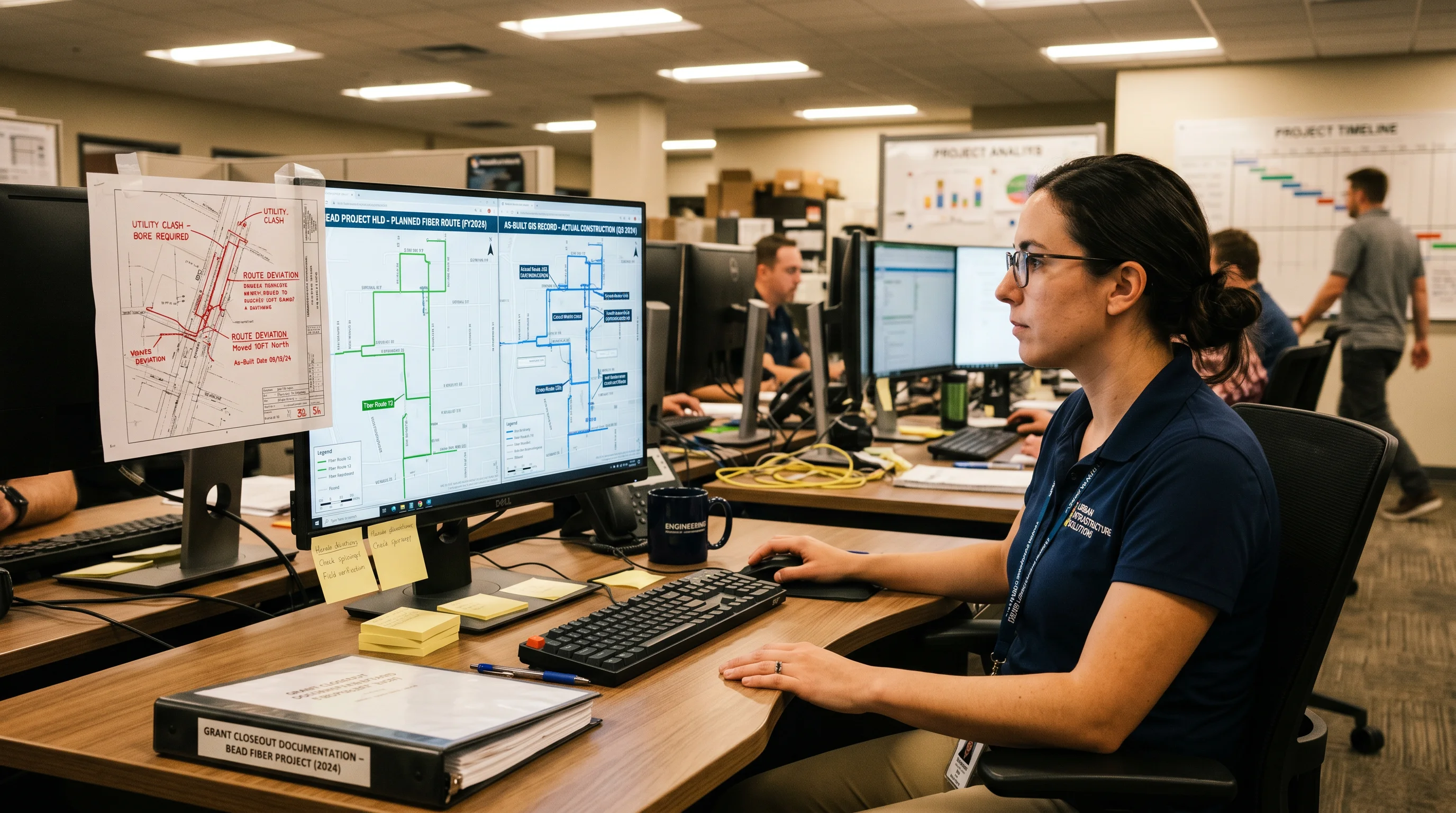
Early BEAD award projects are approaching construction completion. And right now, across Virginia, North Carolina, Kentucky, Tennessee, and every other state that got subgrantee agreements executed in 2025, teams are discovering something nobody warned them about clearly enough: the as-built documentation package is where federal broadband grants go to stall.
I've been doing OSP engineering for 17 years. I've closed out ReConnect projects, E-ACAM buildouts, and more state grant programs than I can count off the top of my head. BEAD closeout is different. The GIS compliance bar is higher than anything that came before it, and most subgrantees don't realize how much higher until their first submission gets kicked back.
This article tells you exactly what you need, where projects fail, and what to set up before the first conduit goes in the ground. It isn't a summary of NTIA guidance. It's what we're actually seeing on the ground.
Why BEAD As-Builts Are Different From Prior Programs
RDOF didn't ask for GIS. Connect America Fund didn't ask for GIS. ReConnect Phase 1 had a geospatial reporting component, but the bar was modest: a basic KML file showing project boundaries satisfied most reviewers. BEAD is a different animal entirely.
NTIA built BEAD on a foundation of location-level accountability. The program requires verification that every funded location is actually served, not just that fiber passed through the county. That's why the BEAD engineering requirements include address-level service verification tied back to the BEAD Eligible Locations List (BELL). You can't verify individual addresses from a hand-drawn route sketch on a PDF. You need a GIS feature dataset with address-level linkage.
State administering entities are further stacking requirements on top of NTIA's baseline. Virginia's Department of Housing and Community Development, which administers ConnectVirginia, requires as-built GIS deliverables in NAD83 Virginia State Plane coordinate systems with a defined attribute schema. North Carolina's BEAD program through NCDIT has a specific GIS data standard document that subgrantees receive at award, and that document specifies field names, data types, and acceptable null values for every layer in the package.
The practical consequence is this: if your construction team has been doing as-builts the old way (AutoCAD redlines, PDF route maps, maybe a GPS trace on a tablet), that won't close out a BEAD project. Full stop. The gap between what most OSP contractors deliver by default and what BEAD states are actually requiring is significant. Don't discover it at month 187 of your buildout timeline.
What a BEAD-Compliant As-Built Package Actually Contains
The specific requirements vary by state, but the core deliverables package is consistent across programs I've reviewed. Here's what you're putting together:
CAD Redlines
AutoCAD redlines of the construction drawings remain required. They're not going away. What changed is their role in the package. They're supporting documentation now, not the primary deliverable. Redlines must reflect actual field conditions: deviations from the original route shown with cloud markups, updated structure numbers, corrected footage measurements, and revised splice placement where field conditions forced a change. If you submitted an HLD at application, your redlines need to reconcile against it (see the section on failure points below).
GIS Shapefiles or File Geodatabase
This is the primary deliverable. Most states accept ESRI file geodatabase (.gdb) or shapefile format; a handful accept GeoJSON or KMZ as an alternative. The feature dataset needs to include separate layers for routes (cable centerlines), structures (poles, vaults, pedestals, splice closures), and service drop connections. Each layer carries a defined attribute schema, which I'll cover in detail in the callout below.
Required GIS Attribute Fields
- Cable routes: cable_type (e.g., ADSS, lashed strand, armored direct-bury), fiber_count (integer, not "288-count", just 288), install_date, burial_depth_in (for underground), conduit_size, conduit_type, segment_length_ft
- Aerial routes: structure_owner (utility company name or "self-owned"), attachment_height_ft, lashing_strand_size
- Splice points: closure_type, closure_mfr, gps_lat, gps_lon, splice_count, tube_assignments (fiber-level detail varies by state)
- Service drops: address, bead_location_id (cross-reference to BELL), drop_length_ft, drop_type (aerial or underground), install_date, ont_model
- Structures: structure_type (pole, vault, pedestal, handhole), owner, pole_number (utility company's pole tag), gps_lat, gps_lon
Photo Documentation
Photos aren't optional. States want GPS-tagged construction photos cross-referenced to specific network segments. That means a bore entry photo at a road crossing isn't just a picture: it's a picture with coordinates, a segment ID that maps to your GIS layer, and a timestamp. Virginia's program guidance calls for photos at each splice enclosure installation, each road crossing, each aerial attachment on utility-owned poles, and each service drop connection. On a 43-mile project, that's a substantial photo library. It needs to be organized and indexed, not dumped into a folder.
Address-Level Service Verification
This is where it gets expensive if you haven't planned for it. BEAD closeout requires demonstrating that each funded location on the BELL is actually serviceable, meaning a drop is complete or can be completed on demand. The deliverable is a reconciliation table: BELL location ID, address, latitude/longitude, drop status (installed, drop-ready, or not-served with engineering justification), and ONT installation date where applicable. Any locations that couldn't be served need an explanation (road crossing permit denial, structure access issue, address no longer exists) tied to documentation.
The Three Most Common Failure Points
We review a lot of as-built packages. The same failures show up, and they're not random.
Failure Point 1: As-Builts That Don't Match the HLD
Your BEAD application included a high-level design. The route you drew on the map, the fiber counts you specified, the number of locations you committed to serve: those became contractual. If your final as-built GIS layer shows a route that deviates 1.3 miles from the HLD without a documented design change order, that's a problem. If you committed to 144-count cable on a feeder segment and you installed 72-count because the vendor had it in stock, that's a bigger problem.
States are running spatial comparisons between the application HLD and the as-built GIS submission. In North Carolina, that comparison is semi-automated: the program office uses a GIS script to flag route segments where the as-built centerline deviates more than 200 feet laterally from the approved design without a filed route change form. Subgrantees who treated their HLD as a sketch and built whatever made sense in the field are finding out at closeout that every unexplained deviation triggers a review. Read more about HLD deliverables for BEAD subgrantees before you get here.
Failure Point 2: Wrong Coordinate System or Missing Attributes
This one's embarrassing to see, and common. A subgrantee in eastern Tennessee submitted their as-built shapefile in WGS84 (EPSG:4326), which is what most GPS units output by default. The state required NAD83 / Tennessee State Plane South (EPSG:32136). The coordinates were off by roughly 1.4 meters in the affected area, within tolerance for field placement, but not for the state GIS office's automated precision check. The submission was rejected at intake, before anyone even looked at the attribute tables.
The attribute problem is worse. I've seen shapefiles submitted with 11 of 14 required fields populated and 3 left NULL, specifically splice closure GPS coordinates, because the field crew didn't have a workflow for capturing splice locations at the time of installation. Reconstruction after the fact produced coordinate estimates within 18 feet of actual, which the state correctly identified as imprecise. The fix required a field revisit: opening 23 splice enclosures to verify locations with survey-grade GPS equipment. That added $14,300 in mobilization costs and 6 weeks to the closeout timeline.
Failure Point 3: CAD-Only Delivery When GIS Is Required
Some subgrantees, particularly smaller ISPs and rural telephone cooperatives who've never worked with GIS vendors, submitted AutoCAD redlines as their primary as-built deliverable. The redlines were high quality. Detailed. Accurate. The state's closeout reviewer looked at them, confirmed they were nice CAD drawings, and rejected the submission because the grant agreement required GIS feature classes, not DWG files.
CAD-to-GIS conversion sounds simple. It isn't. A CAD line doesn't automatically become a GIS feature with populated attribute fields. The conversion requires manual attribution, coordinate system assignment, and layer-by-layer QA. Converting 38 miles of CAD redlines to a properly attributed GIS geodatabase after the fact, rather than capturing field data in GIS-native format during construction, typically costs 3 to 4× more than doing it right the first time. Don't be this subgrantee.
Starting As-Built Tracking Before Construction Begins
The framing of "as-built documentation" creates a problem. "As-built" sounds like something you do after you build. You don't. You do it while you build, or you end up reconstructing it, which is expensive, inaccurate, and increasingly unacceptable to state reviewers.
Here's the workflow we set up on BEAD projects. Before a single bore is pulled, the FTTH engineering and LLD design package is loaded into the field data collection platform as the baseline. We use Katapult Pro for aerial plant and Fulcrum for underground and mixed routes: both are GIS-native, both let field crews capture attributes at the structure or segment level, and both export directly to shapefile or geodatabase.
Field crews walk the route during construction. At each splice enclosure installation, the installer captures GPS coordinates on the Fulcrum form: the app won't let the record save without it. Burial depth is measured and logged at each access point. Photo uploads are tied to the feature record, not dropped into a separate folder. The segment-level attributes (cable type, fiber count, conduit size) are pre-populated from the LLD and field-confirmed or corrected by the crew. Every deviation from design gets flagged with a reason code.
At the end of construction, the geodatabase exports directly from Fulcrum into the state's required format. No reconstruction. No estimation. The OSP field survey and data collection workflow does the heavy lifting during construction: closeout is a QA pass, not a scramble.
The difference in closeout timeline between projects that ran concurrent field data capture versus ones that tried to reconstruct as-builts after the fact? In my experience, about 89 days, and that's on smaller projects. On a 60-mile aerial-underground mixed deployment, the delta is worse. More about establishing field survey data accuracy standards before construction starts pays dividends at every phase of the project.
What States Are Actually Asking for at Closeout
Four states where we're actively supporting BEAD subgrantees give a representative picture of what closeout submissions need to contain.
Virginia (ConnectVirginia / DHCD)
Virginia's BEAD program requires a GIS deliverable in file geodatabase format with eight defined feature classes: cable routes, aerial structures, underground structures, splice closures, distribution terminals, service drops, funded locations, and project boundary. The coordinate system is NAD83 Virginia State Plane (North or South zone). Required attributes include a BELL_ID field on every service drop feature that links back to Virginia's official eligible locations list. Photo documentation must be submitted through the DHCD project portal, not as a standalone file transfer.
North Carolina (NC BEAD / NCDIT)
North Carolina uses a GIS data standard document that runs 23 pages. The standard specifies NAD83 NC State Plane (FIPS 3200), mandatory field names with exact casing (case-sensitive), and a defined list of acceptable domain values for fields like cable_type and structure_owner. NCDIT runs a validation script against submissions: if your field name is "CableType" instead of "cable_type," the layer fails validation automatically. As-built submissions are reviewed by the state GIS office before they go to the broadband program office. Failure at the GIS office means resubmission; it doesn't get escalated for content review until it passes format validation.
Kentucky (KY BEAD / KOBD)
Kentucky's Office of Broadband Development has been explicit in subgrantee communications that as-built GIS data must include a funded_location_id cross-reference field matching the Kentucky BEAD eligible locations list. Kentucky also requires OTDR test records, not just splice loss values, but the actual OTDR trace files (.sor format), to be included in the closeout package. This is one of the more demanding technical requirements I've seen at the state level. On a typical rural FTTH project, that's 200 to 300 .sor files organized by span ID. If your contractor isn't capturing OTDR data by span with a consistent naming convention tied to your GIS segment IDs, getting to that deliverable at closeout is painful.
Tennessee (TNECD)
Tennessee's BEAD program through the Department of Economic and Community Development has published a closeout checklist that organizes required deliverables into four categories: engineering documentation (as-builts, test records, PE certification), financial closeout (final expenditure report, match documentation), service verification (serviceable locations reconciliation, speed test records), and environmental closeout (post-construction EHP certification). The as-built GIS requirement follows ESRI shapefile or geodatabase format, NAD83 Tennessee State Plane (North or South), with a minimum of six required attribute fields for cable route features.
A note on state guidance documents: The specifics above reflect program guidance as of early 2026. State BEAD programs are still issuing updated closeout guidance as first projects approach completion. Your subgrant agreement's closeout provisions and the state program office's most recent technical guidance always govern. Don't rely solely on what's described here. Get the current closeout checklist from your state program contact directly, and get it early.
The bottom line on what states want: a GIS-native package that can be ingested into their systems without manual intervention, with attribute tables that match their schema, tied back to the BELL, with photo documentation that verifies field conditions. That's not a high bar if you planned for it from day one. It's an expensive, time-consuming problem if you didn't.
Our fiber as-built documentation services cover the full package: GIS deliverable preparation, attribute table QA, photo documentation indexing, BELL reconciliation, and state-specific format conversion. If you're a BEAD subgrantee who's already in construction and isn't sure where your data collection stands, reach out at info@draftech.com. We'll tell you what you have, what you're missing, and what it takes to get to a clean submission.